When working with 3D on the web, one problem appears very quickly: how can we interact with complex 3D models without destroying performance?
A simple product viewer may contain thousands of triangles. A CAD model, digital twin, game environment or architectural scene can contain millions.
When the user clicks, moves the mouse, checks collisions, or asks "what is the closest point on this surface?", do we really need to test every single triangle? The answer is no. This is where a BVH (Bounding Volume Hierarchy) becomes extremely useful.
What is BVH?
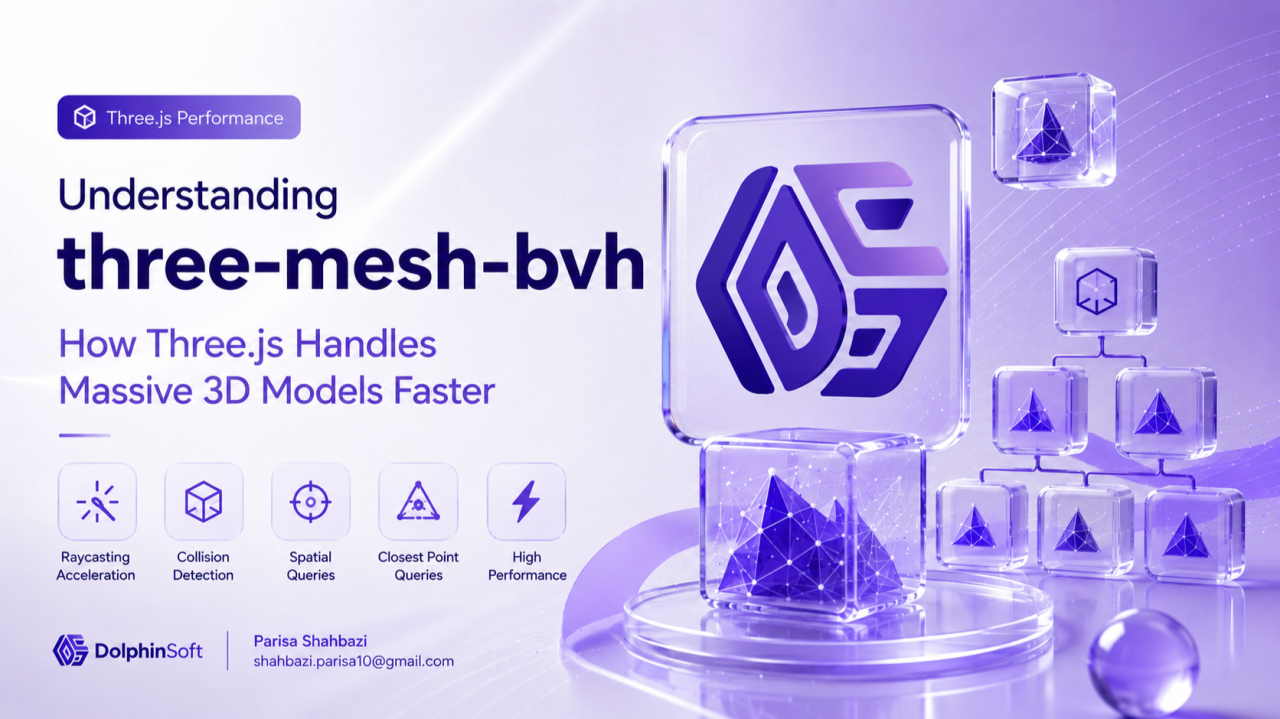
BVH stands for Bounding Volume Hierarchy. It is a spatial acceleration structure that organizes geometry into a tree of bounding boxes. Instead of checking every triangle one by one, BVH creates a hierarchy:
               Model
                 |
       ---------------------
       |                   |
     Area A              Area B
       |                   |
   ---------           ---------
   |       |           |       |
Triangle Triangle  Triangle Triangle
Now the system can quickly ignore large parts of the model and only check the area that matters.
Think about finding a book in a library. Without organization, you check every book. With organization — section → shelf → book — the result is much faster.
What is three-mesh-bvh?
three-mesh-bvh is a BVH implementation designed specifically for Three.js meshes. It improves:
- Raycasting
- Collision detection
- Spatial queries
- Closest point calculations
- Geometry intersection tests
The official project describes it as: "A BVH implementation to speed up raycasting and enable spatial queries against three.js meshes."
Why is normal raycasting slow?
raycaster.intersectObject(mesh) is very useful, but internally a mesh is made of triangles. For a complex model with 500,000 triangles, the ray checks triangle 1, triangle 2, triangle 3… all the way to triangle 500,000.
For small objects this is fine. For BIM models, CAD files, digital twins and large environments, it becomes expensive. BVH changes the search strategy.
Simple Three.js Example
Without BVH:
const raycaster = new THREE.Raycaster();
const hits = raycaster.intersectObject(mesh);
With three-mesh-bvh:
import { MeshBVH, acceleratedRaycast } from "three-mesh-bvh";

geometry.boundsTree = new MeshBVH(geometry);
THREE.Mesh.prototype.raycast = acceleratedRaycast;

const raycaster = new THREE.Raycaster();
raycaster.firstHitOnly = true;

const hits = raycaster.intersectObject(mesh);
Now the ray does not search the whole geometry — it uses the BVH tree to find the answer much faster.
Real-world analogy
When you search Google Maps for "restaurants near me", it does not scan every restaurant on Earth. It uses spatial indexes: world → country → city → neighbourhood → restaurant. BVH does something similar for 3D geometry. It answers questions like:
- Which part of this model is under my mouse?
- Where did this ray hit?
- What is the closest surface?
- Does this object collide with another object?
Common Applications in Three.js
1. Large model viewers
Architecture viewers, BIM applications, CAD viewers and digital twins often contain hundreds of thousands or millions of triangles. BVH keeps interaction smooth.
2. Advanced raycasting
Selecting objects, hover effects, painting on surfaces and measuring tools — finding the exact triangle under the mouse.
3. Collision detection
Games and simulations need to ask "is my character touching the environment?". Instead of checking every polygon, BVH quickly narrows the search.
4. Physics and simulation
BVH can accelerate geometry queries used in physics engines, geometry processing and spatial calculations.
5. Path tracing and advanced rendering
BVH is a fundamental concept in ray tracing. Modern rendering systems use acceleration structures because shooting rays against every triangle is impossible at scale.
Other capabilities
The library supports more than raycasting: closest point queries, sphere intersection, box intersection, geometry intersection and shape casting.
const result = geometry.boundsTree.closestPointToPoint(point, target);This answers: "Which point on this mesh is closest to my position?"
Advantages
- Performance: a huge improvement for complex meshes. A scene that feels slow with standard raycasting can become interactive.
- Works with your existing workflow: it integrates with
Mesh,BufferGeometryandRaycaster— no need to replace your renderer. - Enables advanced interactions: 3D painting, CAD measurements, mesh editing tools and collision systems.
Limitations
- Extra memory: BVH creates additional data structures. More performance means more memory.
- Build time: creating the tree takes time, which can add a startup cost for very large models.
- Dynamic geometry is harder: BVH works best for static geometry. If vertices change every frame, the BVH becomes outdated and needs rebuilding or refitting.
When should you use three-mesh-bvh?
Use it when your application has large 3D models, complex raycasting, CAD/BIM viewers, interactive geometry, physics or collision queries, or advanced WebGL experiences. For a simple rotating cube it is probably unnecessary; for a million-triangle model it is almost essential.
Final Thoughts
Three.js makes 3D on the web accessible, but performance becomes the next challenge. three-mesh-bvh shows an important principle in computer graphics:
The fastest calculation is often the calculation you avoid doing.
Instead of asking "how can we process more triangles?", BVH asks "how can we avoid looking at triangles that do not matter?" — and that idea is one of the foundations of modern interactive 3D applications.
Resources: three.js BVH raycasting example · three-mesh-bvh on npm